The year is 2028. The survivors of nuclear Armageddon cling to existence in the subways beneath Moscow. Experience a new story-driven adventure built exclusively for VR that blends atmospheric exploration, stealth and combat in the most immersive Metro experience yet. Put on your gas mask and brave the crippling radiation and deadly threats of the Metro in this chilling, supernatural story from Dmitry Glukhovsky.
Retrospective thoughts
The development and release of Metro: Awakening marked a turning point for the studio. As we transitioned from co-development and smaller work-for-hire titles to tackling a flagship AAA IP, our pipelines, team structure and design philosophies had to mature. This scale-up required me to shift from a generalist into a Principal role, defining the core gameplay vision and implementing it from prototype to final polish.
Translating Metro’s signature, unforgiving tactility into an accessible VR experience was an incredibly rewarding challenge, forcing us to confront hardware limits, tech debt and tight scope. While overcoming these constraints, I was able to successfully execute the design vision I had spent years forming, ultimately resulting in a fantastic award-winning launch.
Designed and oversaw core systems for interaction, establishing immersion-preserving design constraints and the systems to create tactile yet accessible interactions.
In Virtual Reality, immersing players is easy yet incredibly fragile. Because players feel physically present, they bring their real-world mental models into the game. If a hand twists unnaturally or an interaction is unexpectedly difficult, the illusion shatters. In a franchise like Metro, which is defined by its tactile realism, taking shortcuts to resolve this was unacceptable.
While we had an established codebase for hands and interactions, they needed an update and clear design ownership for a title of this quality. To tackle this, I authored a vision document for the hand systems and interactions, establishing three strict pillars for player hands: Presence, Intuition and Control.
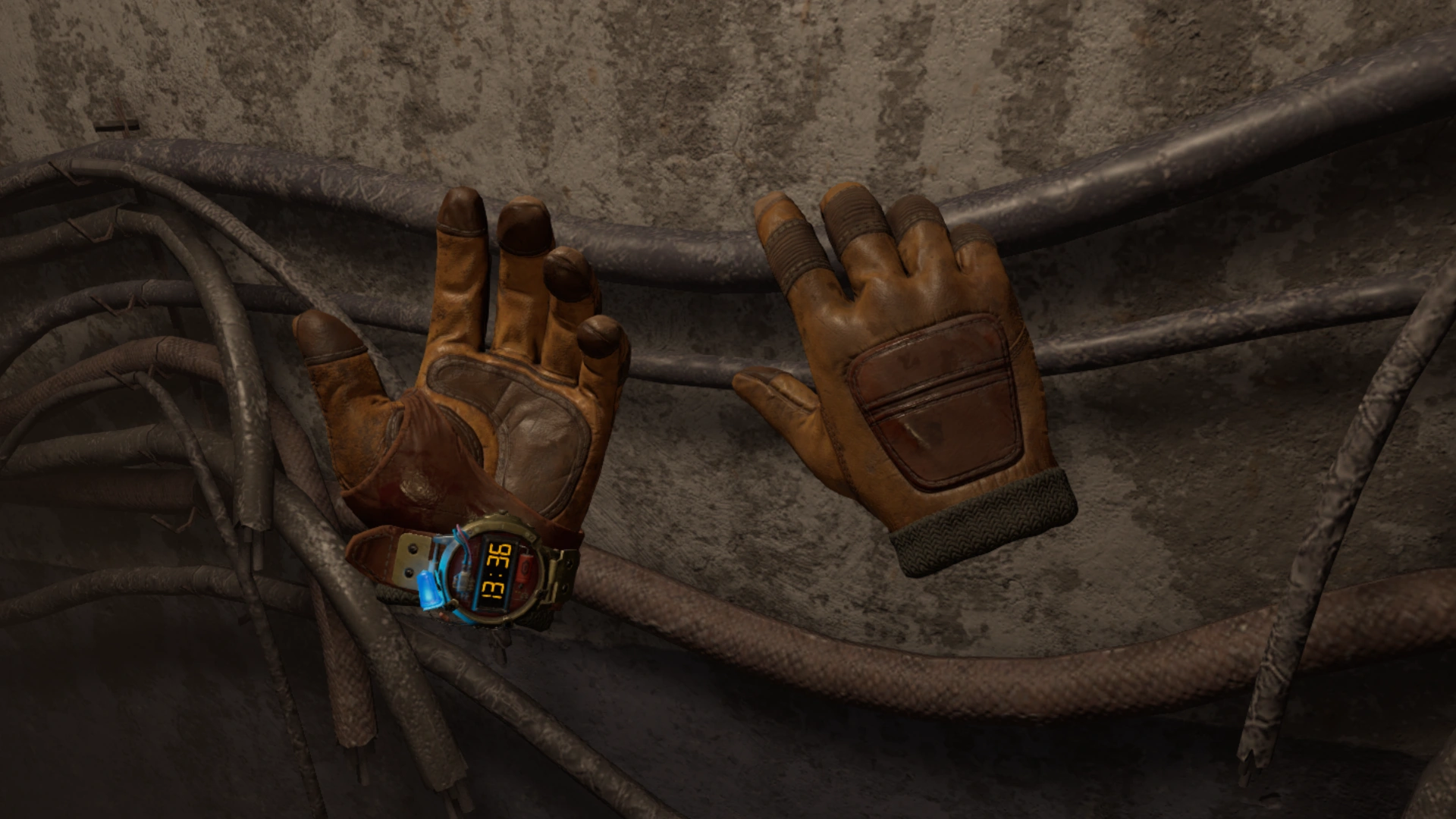
For presence and control, players must feel true ownership over their virtual hands. This relies not only on an accurate visual model, but especially on feeling 1:1 agency over their hands; the virtual hands must reliably reflect physical input.
Our studio’s legacy systems relied heavily on physics. While intuitive on paper, the transition from Unreal Engine 4 (PhysX) to UE5 (Chaos) exacerbated issues like hands lagging, drifting or behaving unpredictably. To protect the Control pillar, we made the pragmatic call to invest in a kinematic solution for hand movement. This guaranteed 1:1 parity with the player’s controllers. The virtual hands would only break parity when we deliberately designed them to do so. While this made implementation interactions more complex, it was a necessary investment to eliminate unpredictable physics jank and maintain absolute control.
For intuition, players should never have to actively think about how to move their hands to perform a real-world action. The hurdle is making interactions feel intuitive without actual physical resistance. Pure 1:1 simulations fail in VR because the controllers cannot provide the tactile signals (like resistance on a door handle) that our subconscious relies on.
To solve this, we focus on simulating the experience of reality, not reality itself. We leverage the malleability of human proprioception – the brain’s ability to sense body position – by intentionally breaking our kinematic 1:1 parity at specific points:
- Guidance: By reading player intent (speed, gaze, angle), we allow for subtle positional and rotational offsets, guiding the virtual hand into position without the player noticing.
- Automated Interaction: For intuitive non-events, like turning a door handle, we utilized brief, automated hand animations. Because the visual feedback matches their intent, the player’s brain accepts the automated action as their own physical movement.
The core systems for hand interaction were created by tech to fit my design, primarily using “Interaction Sockets”. These components could be placed in any blueprint, defining grab points with transforms and animation poses. Each socket had tweakable rules determining the details of the interaction. While incredibly flexible, building it on legacy code during rapid expansion meant it became a cumbersome beast by the end of development. But tech debt is a given reality under a tight scope.
I expanded this system directly to improve UX with grab styles. Initially, grabbing was purely radius-based. I extended the logic to support alternatives, like volume-overlap checks, parent-primitive collision and more, allowing us to build more complex, custom interaction rules.
We also introduced an input buffer that allowed players to press the grab button slightly too early or too late but still successfully execute the interaction. This was vital for smoothing out high-speed stressful situations like catching an object or frantically reloading a weapon.
Engineered an immersive, tactile player experience with a heavy focus on recreating the Metro game atmosphere through virtual friction and haptics for platforms like PSVR2.
While our kinematic hand system guaranteed 1:1 hand control, the post-apocalyptic world of Metro is heavy and rusted. If a player grabs a massive steel door and it swings open effortlessly, the atmosphere is lost. To bridge the gap between the controller’s lack of resistance and the heavy virtual world, we established rules for Virtual Friction.
These rules built on my interaction vision documentation and the early prototyping efforts of several design interns. Based on their work, I refactored the interaction systems and distilled the rules into a custom component: the “Friction Interaction Constraint”.
Inheriting from Unreal’s default physics constraints, the FIC was designed to seamlessly handle interactions in two states:
- Physics: The object responds to standard physics, allowing to player to, for example, push a door open with their hands, shoot it or apply other external forces.
- Kinematic: The system transitions to kinematic control the moment the player initiates a grab and handles the exact movement logic.
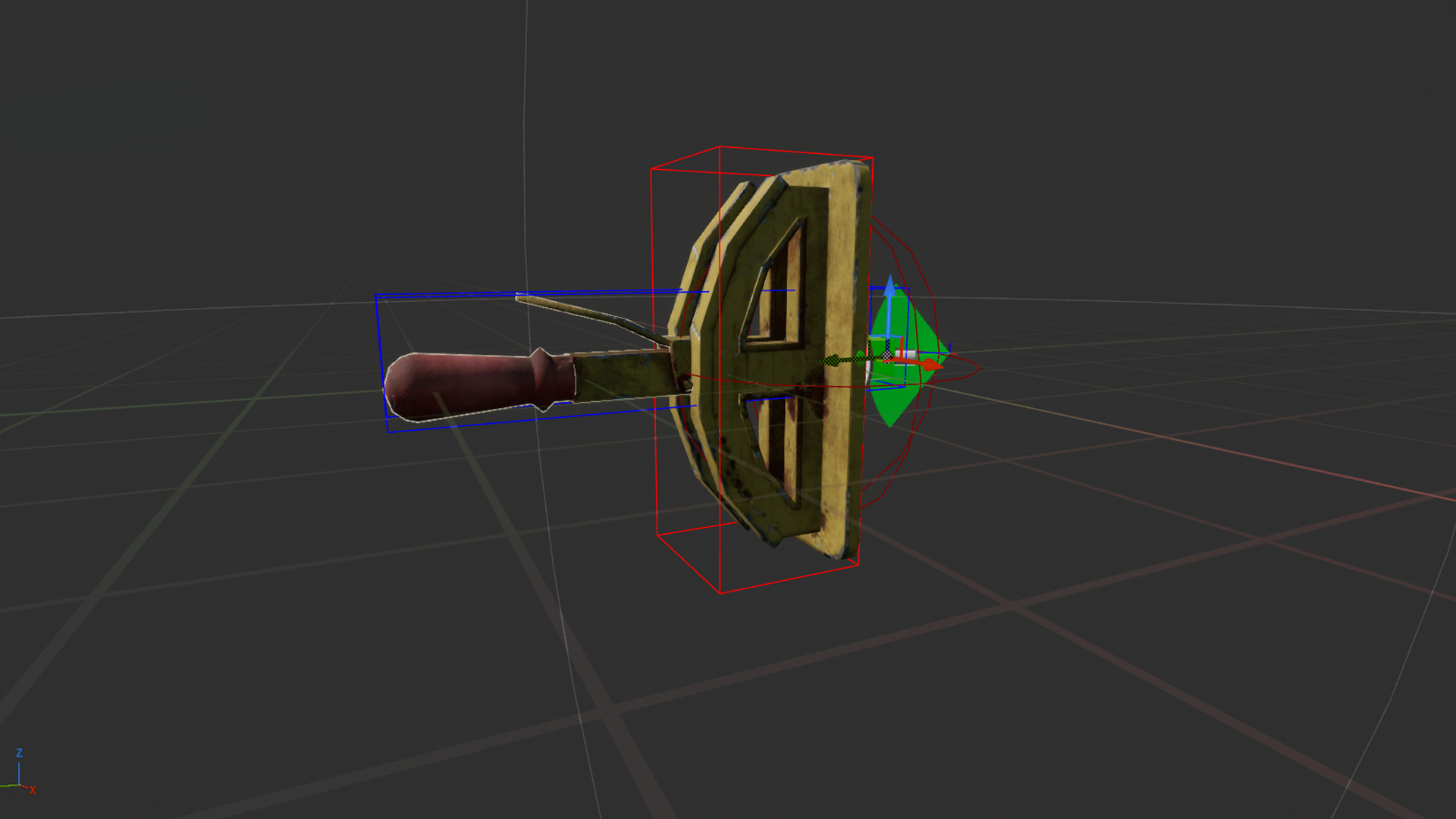
The leading logic came from the kinematics. While held, depending on the linear or angular limit set, the FIC translated the difference in relative hand transform(s) between frames into movement for the interaction. This delta difference was passed through several tweakable systems to calculate the final interaction alpha:
- Movement scalar: We artificially required the player to move their real hand further than the virtual object moved. This was typically tweaked to about 80%, with 100% typically only being applied if two hands were used.
- Friction Curves: The scaled delta was translated to a progress value and fed through a tweakable float curve. This allowed us to introduce additional friction spikes at specific points of the interaction.
- Interpolation: Both the progress value and the curve results could be interpolated individually, ensuring the interaction took a specific amount of time and felt appropriately sluggish.
- Dynamic Haptics: The frequency and amplitude of looping haptics was tied directly to the current interaction alpha through additional float curves.
To ensure the object felt identical regardless of how the player interacted with it, the tweakable values determining virtual friction also drove underlying physics settings, like linear and angular damping.
This core framework was further expanded throughout development by both myself and the tech team and I collaborated with the broader design team to implement the constraint across our interactions. While it was easy to over-tweak the values and break hand parity, the balance we achieved after heavy iteration successfully tricked the player’s brain into feeling friction.
Spearheaded the creation of tactile weapon mechanics, translating the franchise’s famous weapons into VR by prototyping and implementing methodical, multi-step interactions supported by invisible accessibility systems.
Weapon reloading in the Metro universe demands a high degree of fidelity and realism. Players had to physically execute every step of the reloading process: removing the magazine, inserting a fresh one and chambering the round, with minimal “button-press” automation. However, unforgiving realism risks immersion-breaking frustration when a player panics during a firefight.
I spearheaded the effort to create a weapon system that felt realistic but could be executed through subconscious muscle memory. The goal was to make the players feel like skilled survivors, even without real-world firearms experience.
To maintain the illusion of skill without the frustration of simulation, I prototyped and implemented several invisible assists:
- Loading the weapon became a generous overlap check. If a player brought a fresh magazine to the well, an automated interaction would take over to insert it realistically. If the player forgot to eject the previous magazine in a panic, the system played an additional animation beforehand to eject it realistically before inserting the new one. A skilled survivor wouldn’t fumble this, so our players shouldn’t either.
- Players often rack a weapon’s bolt at high speeds, risking missed grabs. I introduced an automated grab-and-release: if the player made the correct gesture past the bolt, the system registered the intent, grabbed it and auto-released once pulled far enough.
Adding multiple interactions onto a single weapon made them dense with interaction points (grips, bolts, magazines). Relying purely on our interaction system’s base proximity algorithms caused frustrating false positives, like accidentally pulling a magazine when reaching for the weapon’s bolt.
- To address this, I divided each weapon into highly specific, tweakable interaction volumes. These volumes dynamically shifted depending on which hand held the primary grip, ensuring ambidextrous handling.
- We implemented a subtle vertical offset between the real controller and the virtual hand when the weapon was brought close to the face. This allowed the players to look down the iron sights without the controller getting too close to the headset and breaking inside-out tracking.
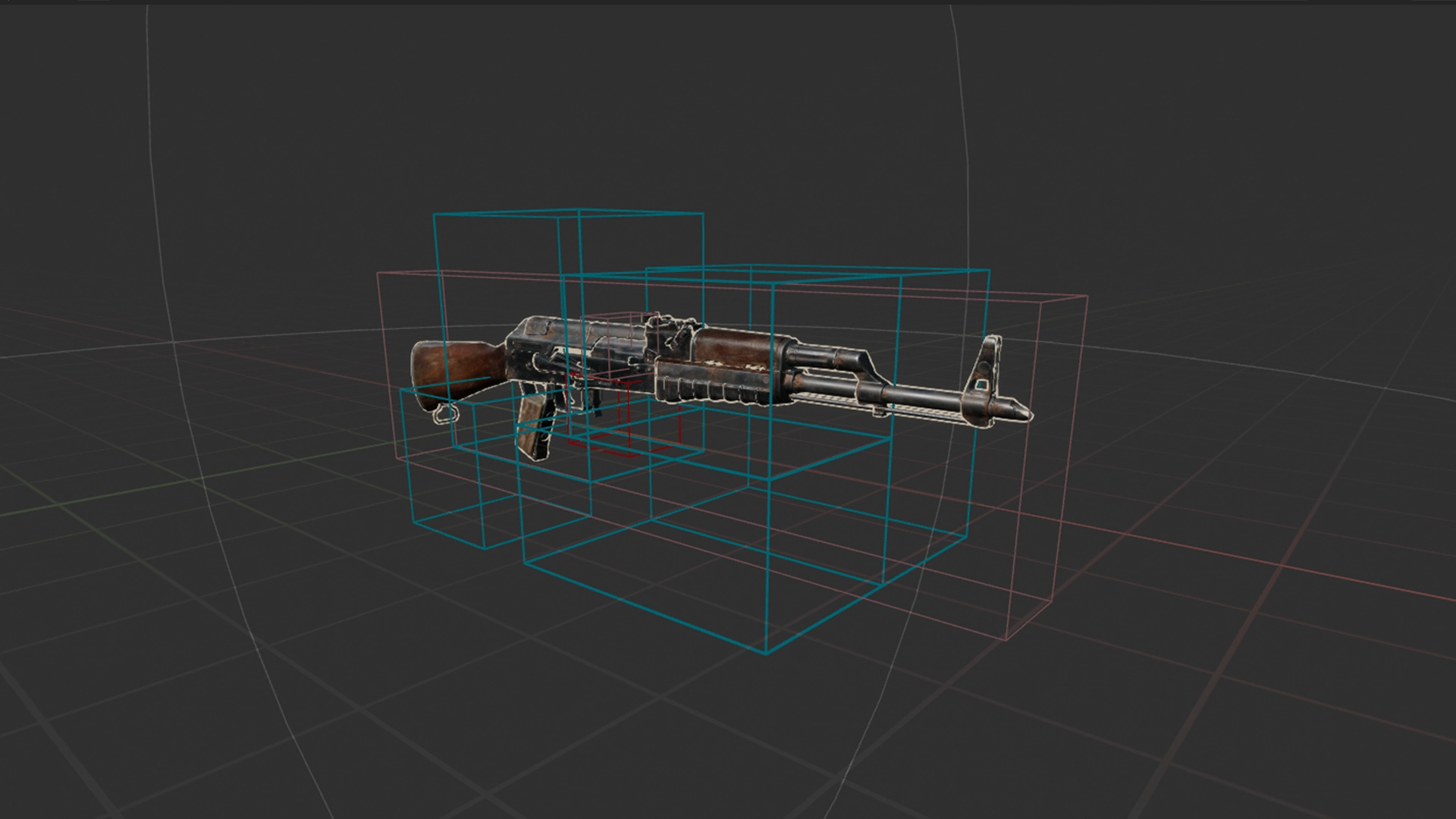
Specific weapons presented unique UX hurdles. The Shambler, a revolver-style shotgun, allowed players to load rounds into any of its six slots, often leaving gaps that caused the weapon to click empty during combat. To address this, I engineered the chamber to automatically spin to the next loaded round when the bolt was pulled, making the weapon cooler and resolving the issue while simultaneously allowing the weapon to clearly communicate when the last round was fired.
Yet the Shambler also highlights the difficulty of invisible design. Late in development, we shifted the default ammo pouch position on the player’s body. Consequently, the path to grab new shotgun ammo closely overlapped with the path to pull the bolt, leading to false positives.
I would love to say we completely resolved this, but we ran out of time before release. While I stand behind the choice to auto-grab the bolt, this could have been caught while playtesting. Because these systems are meant to be unnoticeable, diagnosing failures requires close observation of both the player’s gameplay footage and their physical body to analyse whether they perform as intended.
While we leaned on invisible assists for handling, I refused to compromise on mechanical reality. We actively omitted aim assist, relying entirely on perfectly tweaked iron sights. I dedicated significant research to ensure mechanical details, like visible rounds entering the chamber and accurately operating pistol hammers, functioned exactly as they should, and maintained this standard rigorously throughout development.
Prototyped and refined complex AI using EQS, HTN behavior and state machines, primarily focused on stealth mechanics, human firing behavior, taking cover, hit reactions and all Spider AI.
After hand interactions and gunplay reached a solid state, I was asked to pivot and support the AI team with human enemies. The team had built an impressive foundation using a custom HTN (Hierarchical Task Network) plugin. I had to learn this system quickly and refine the combat and stealth states to ensure the experience hit the Metro quality bar, shifting the focus from logical simulation to curated player experience.
While I am proud of the end results for our human characters, it was a massive team effort where I played a supportive, refinement role.
- Initially, the AI was realistic but merciless in combat, emptying magazines with high accuracy and leaving players in unfair scenarios. I resolved this by introducing bespoke firing sequences; ‘Direct Fire’ slowly built accuracy with each burst to give the players a window of opportunity, while ‘Suppressive Fire’ was intentionally inaccurate, intended to create an intense atmosphere and pressure without adding challenge.
- VR performance limits restricted our enemy counts heavily. When the AI aggressively pushed to attack the player in combat, larger arenas were left barren and dull once they were defeated. To fix this, I overhauled their cover selection. AI calculated the player’s path and artificially spread themselves throughout the environment, forcing the player to actively move and clear the full space rather than sitting in a single location. Later additions, such as reinforcements and bespoke level design authoring for cover positions, further improved these scenarios.
The initial stealth simulation was accurate but lacked the right pacing. I reworked the investigation and alarmed states to be more ‘game-y’ to drive tension:
- Using EQS, AI artificially chose investigation points that created interesting challenges and pressure. In the Alarmed State, the searcher would move on from the last known location to pick new search points a set distance towards the player current location, pushing the player to keep moving and punishing static playstyles.
- Mainline Metro features a violin stinger to indicate detection, but this proved impossible in VR due to the much more flexible position of the player’s head and hands. After significant iteration and careful tweaking of vision cones for light, darkness and peripheral vision, we landed on a believable yet forgiving distance. This was communicated to the player through clear, reactive animations and detailed barks that told the player when, where and how they were seen. I managed the junior designer that wrote and implemented all these barks.
Near release, I took full ownership of designing the spider mutants. Under a tight deadline, I prototyped and fully implemented two variations in just a few months using state machines, collaborating with tech for animation and system support and level design for encounters.
- Because building a bespoke wall-crawling navigation system was out of scope, the large spiders used a complex web of hand-placed splines to navigate the environment. Using EQS, they searched for launch points to jump directly at the player’s face and calculated the route towards them.
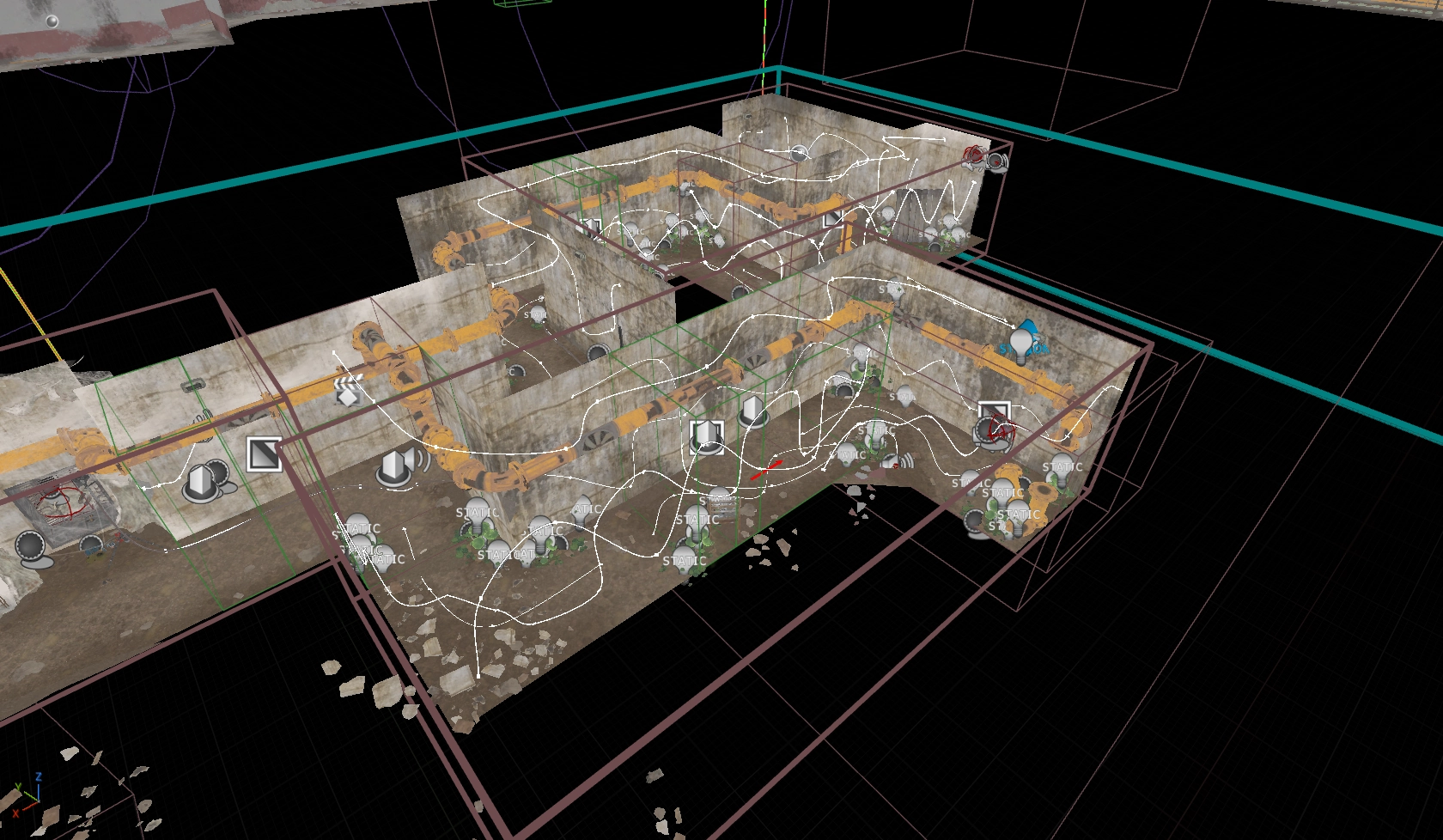
- The small spiders acted as jump scares first and as supportive characters second. When in a combined encounter, they would actively block players from using their flashlight and reloading or served as distraction by crawling on the player’s face just before a large spider attacked.
- Spider movement was tied heavily into haptics, particularly on PSVR2, where a spider jumping on your face and walking around triggered headset haptics with every footstep.
Despite a relatively small budget and some clear improvement points, these enemy types became one of the most memorable encounters in Awakening. I’m quite happy to be lovingly hated by reviewers and players for their addition.
Presented at the Indigo Conference on how we achieved the illusion of tactility, with a recording online here.
Oversaw the creation of prototypes, core systems, and interactions through discussions, reviews, and feedback with the gameplay programmers and designers, ensuring we met quality levels within scope.
Mentored three design interns over the course of the project, with one of them continuing as a junior under my management after their internship finished.
Promoted to Principal Gameplay Designer at the start of 2024 in recognition of my chosen specialization and the skill shown during the early years of development.